TRIALPAD - TRIAL PRESENTATION SOFTWARE
Present evidence clearly and confidently, from your iPad
TrialPad puts documents, photos, video, and audio under the attorney’s control so you can move freely, stay in flow, and adjust in the moment (in court or remote).
- Built for iPad courtroom use
- Present wirelessly and stay present with the jury
- Jump between exhibits, media, and notes without switching tools
- Learn the basics in under an hour

Organize and present Evidence
Used daily by trial attorneys, associates, and paralegals to build, manage, and present cases


%201.png)



%201.png)
WHAT TRIALPAD REPLACES
Built to replace tools that weren’t designed for live evidence presentation
- Rigid foam boards, binders, and printed exhibits
- Expensive hot seaters or trial-tech services
- Desktop tools that anchor you behind a screen
- Slide decks force pre-sequencing and limit live emphasis
WHY LITIGATORS USE TRIALPAD
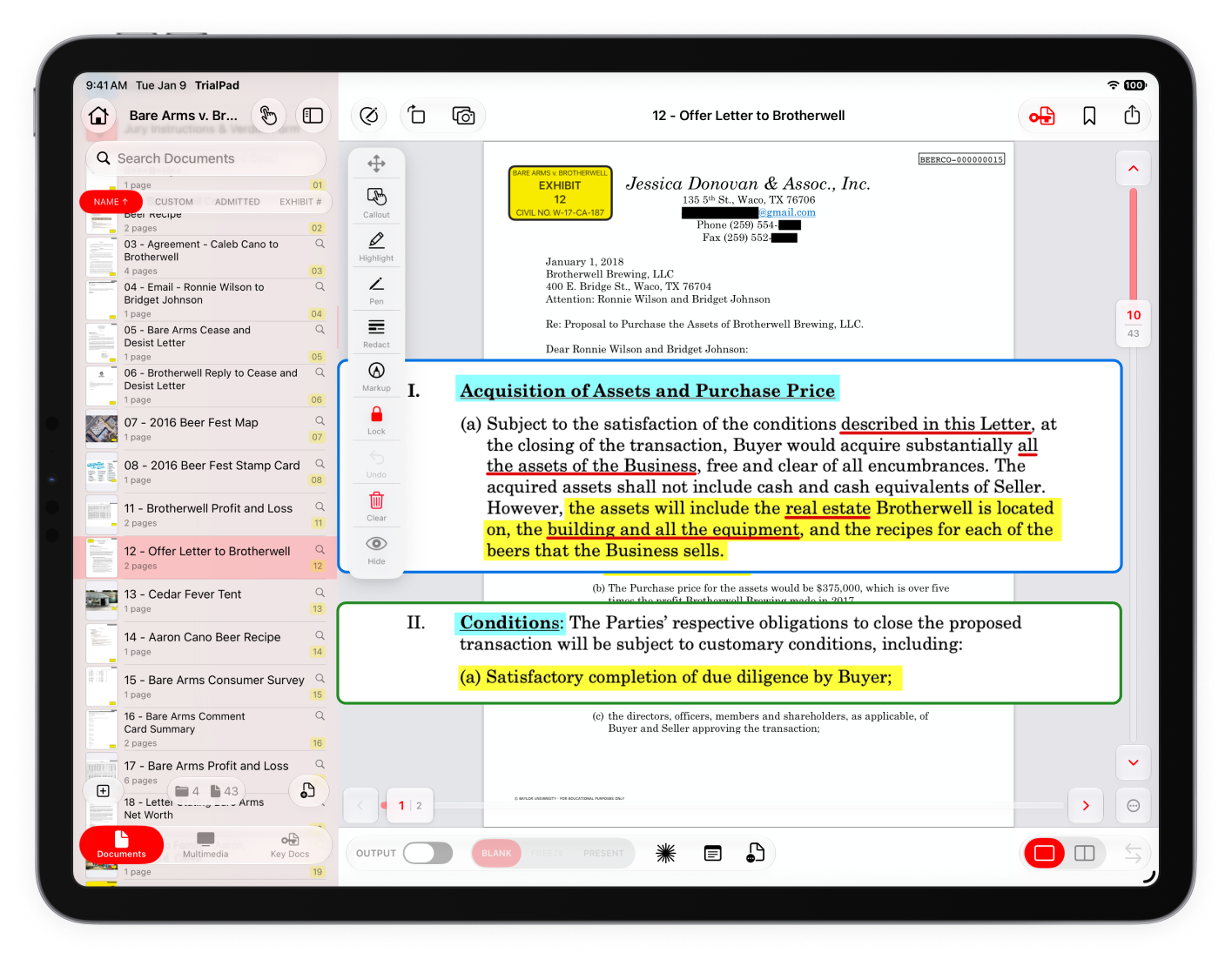
Direct attorney control in the moment
- Presenter notes stay visible during examination
- Live highlights, zoom, and side-by-side comparisons
- Laser Trail and whiteboard tools for directing attention
WHY LITIGATORS USE TRIALPAD
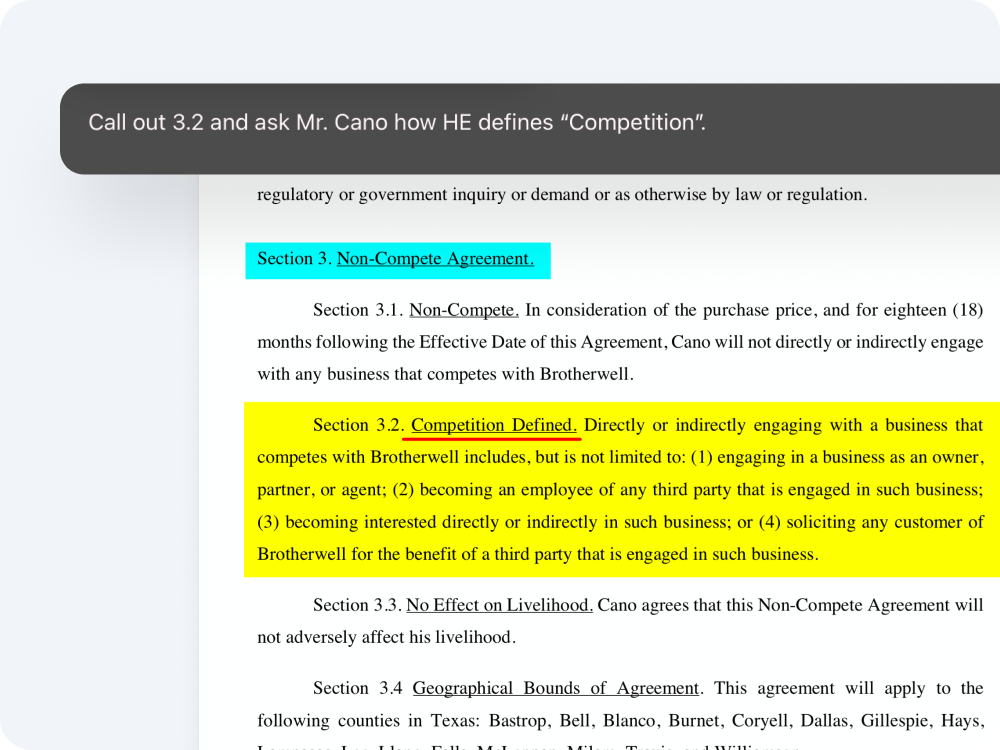
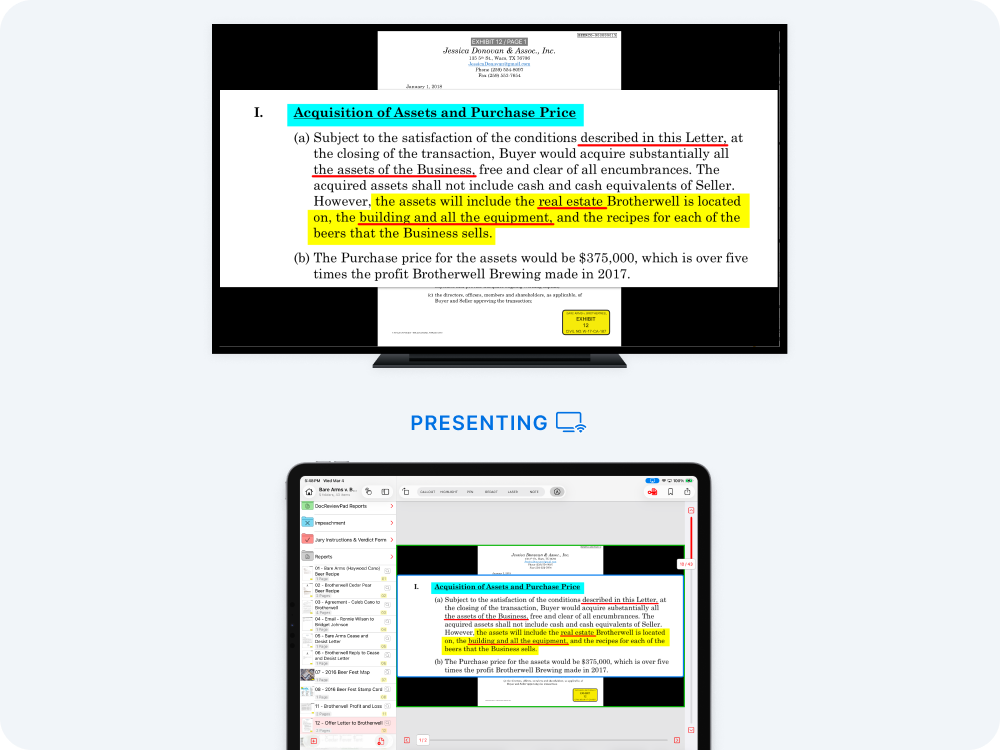
Natural courtroom presence
- Wireless presentation
- Touch-first navigation and annotation
- Built-in camera capture inside the case file
WHY LITIGATORS USE TRIALPAD
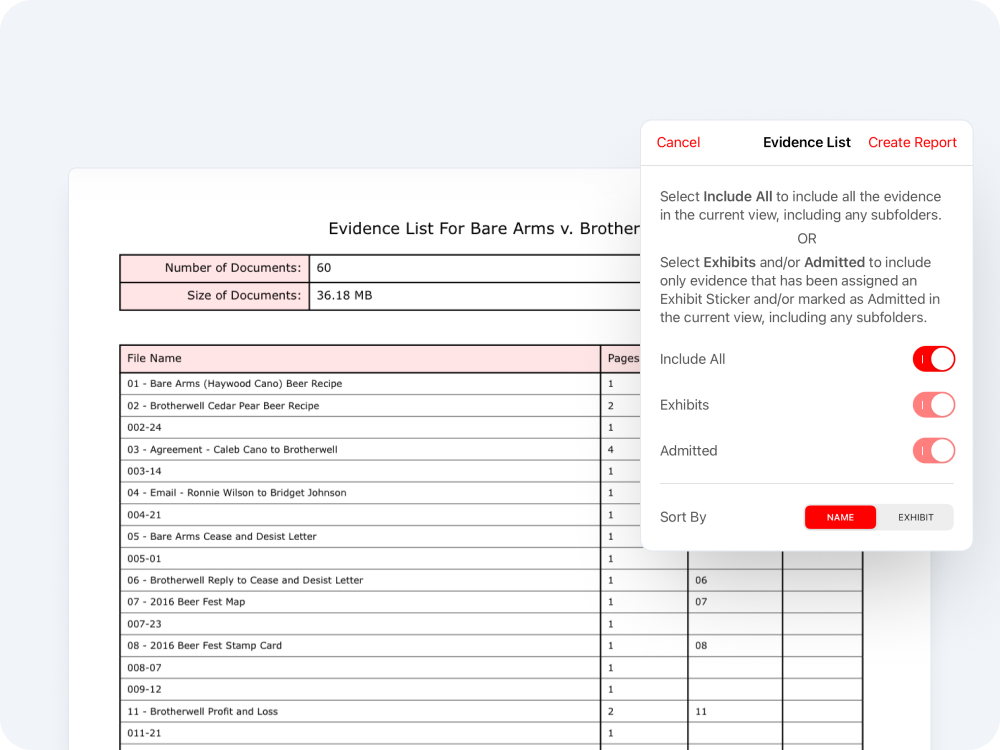
End-to-end evidence continuity
- Real-time admitted-exhibit tracking
- Instant reports and presentation logs
- Shared evidence across prep and trial apps
How It Works
A trial presentation workflow built for how litigators actually present
Centralize your case into a single evidence file
Prepare exhibits, notes, and witnesses in the same environment you’ll present from.
Present evidence live from your iPad with full courtroom control.
Track admitted exhibits and generate reports in real time.
Trialpad is included in the LIT suite
Part of a complete litigation workflow
Deliver clear, compelling presentations that keep judges, jurors, and arbitrators focused on your evidence.
Explore TrialPad
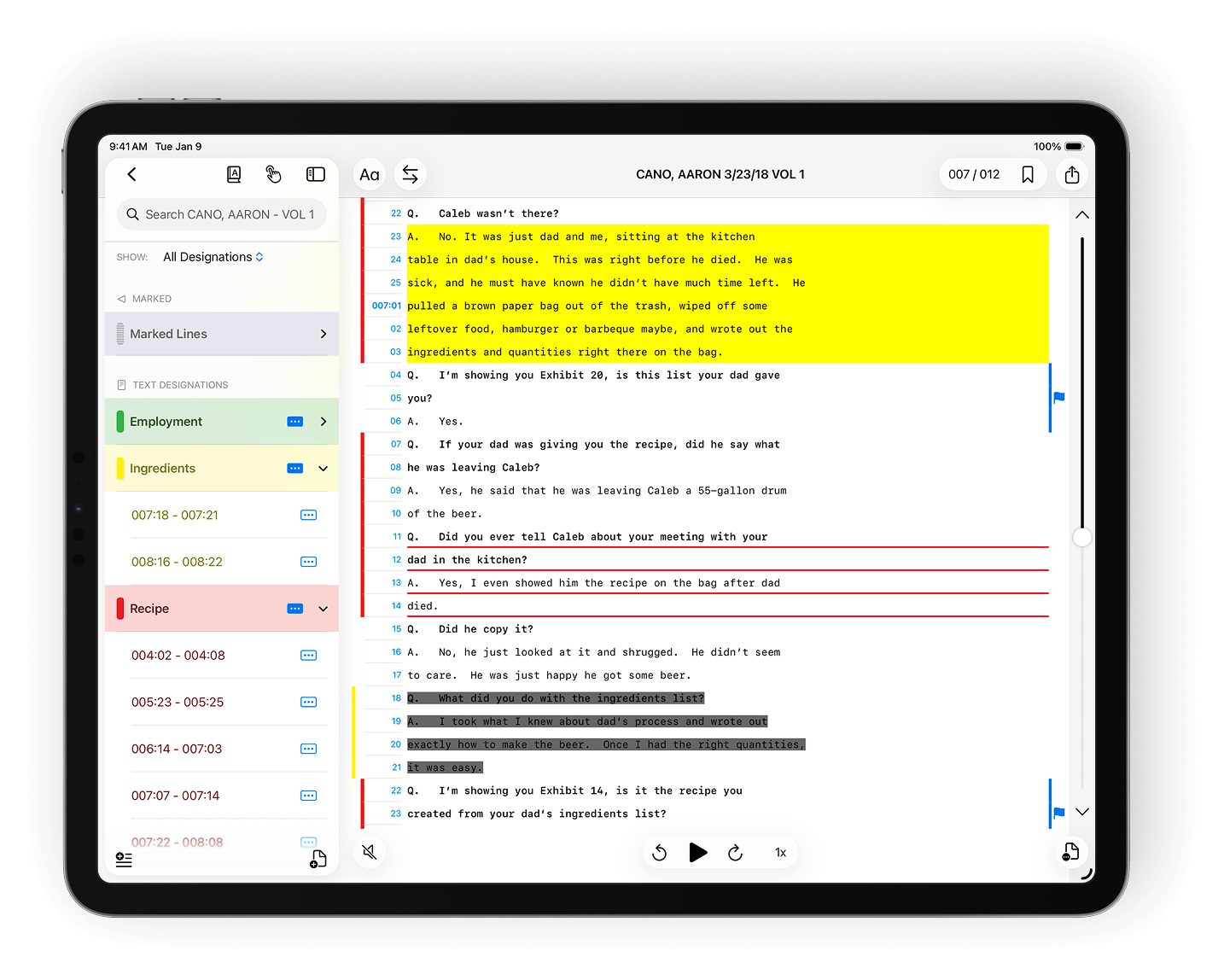
Create designations, assign issue codes, and apply highlights, redactions, and notes with precision.
Explore TranscriptPad
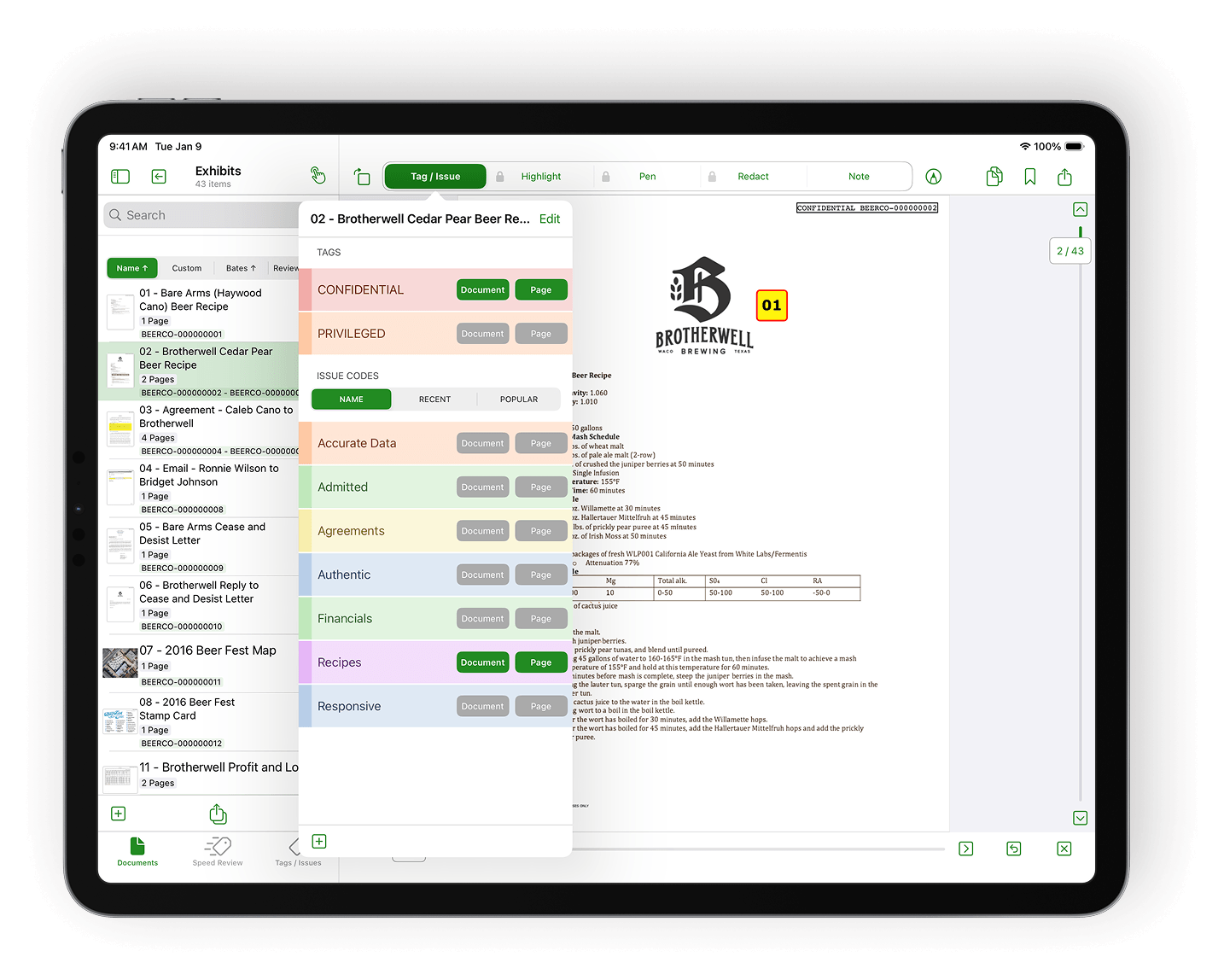
Assign tags and custom issue codes to pages or entire documents for organized review.
Explore DocReviewPad
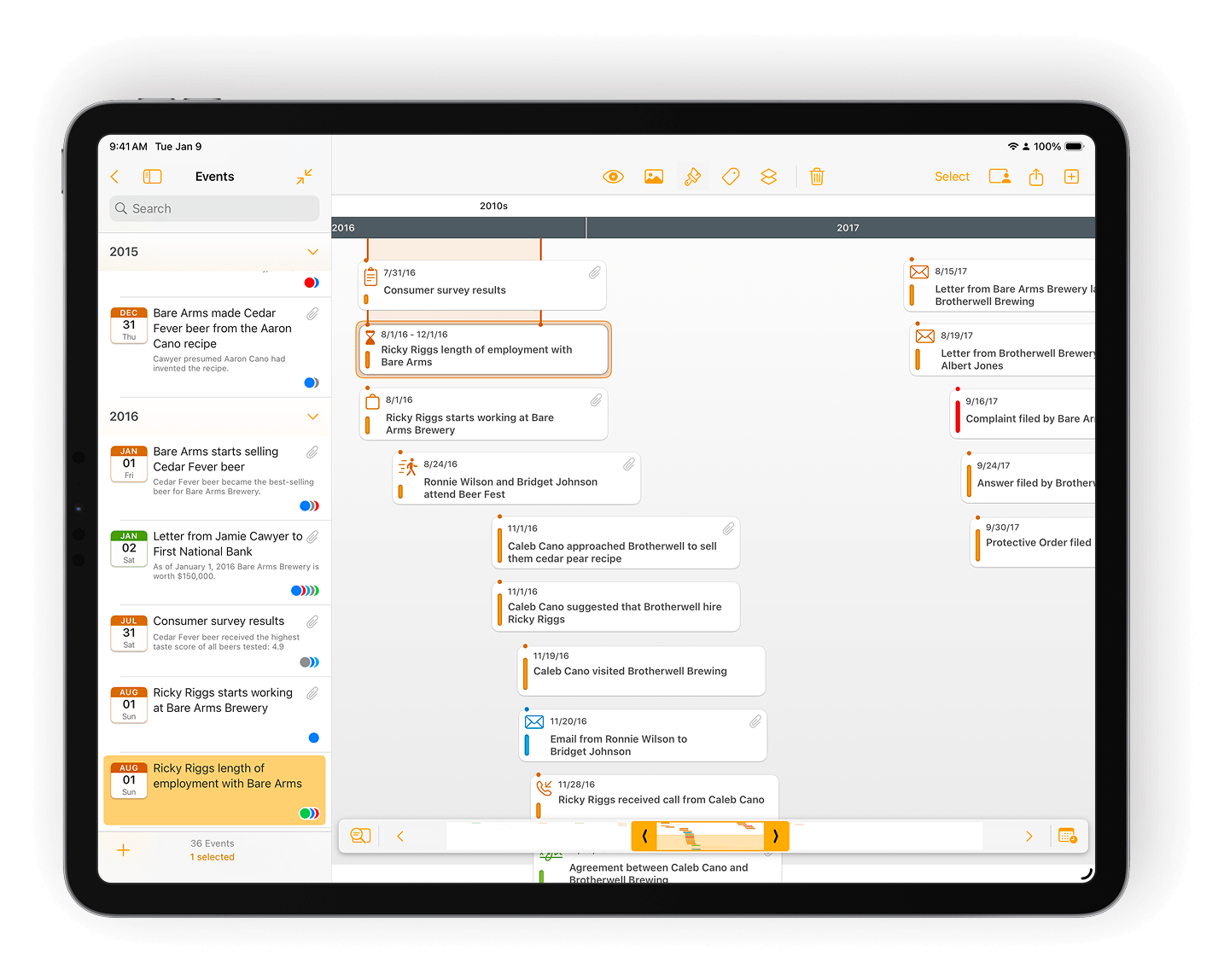
Build visual timelines that make your case story easy to follow.
Explore TimelinePad
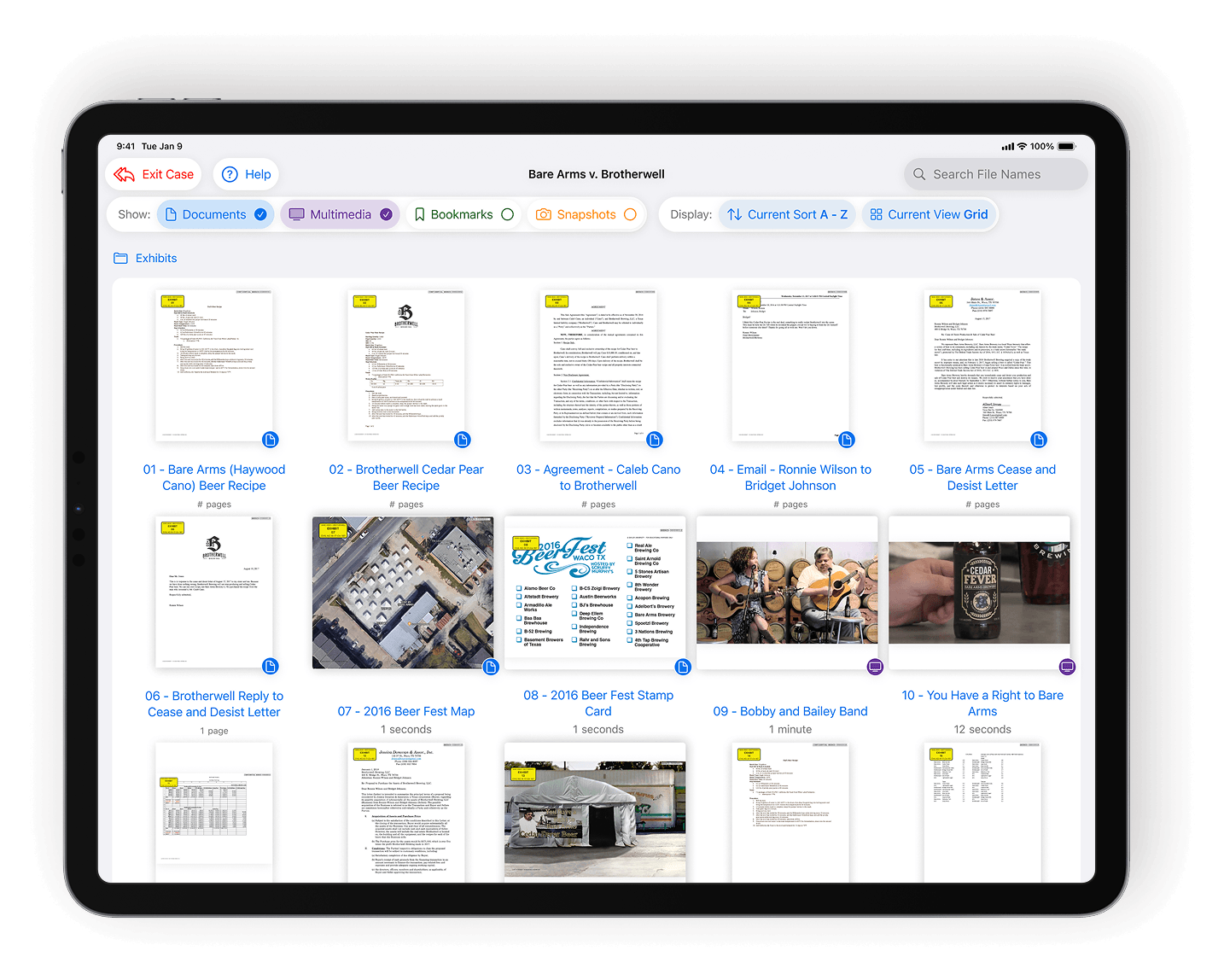
Load identical exhibit sets onto multiple iPads for uniform jury access.
Explore ExhibitsPad
WORKING IN A LITIGATION TEAM?
Get priority customer support
Get onboarding, training, and real-time support from litigation software experts.
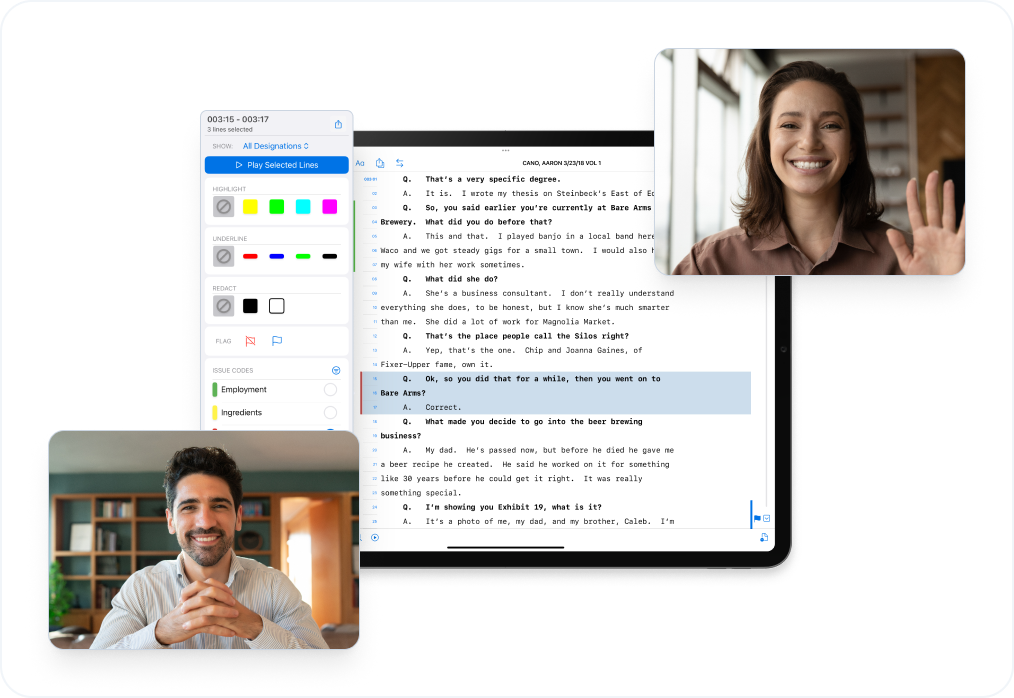
- Guided onboarding and firm rollout
- Priority support for active trial teams
- Optional live screen-share sessions for setup and prep
- Quarterly, team-specific training included
Frequently asked questions
What is TrialPad?
TrialPad is attorney-operated trial presentation software that lets you present documents, photos, video, and audio live from your iPad or Mac with full control in the courtroom or remotely.
Who is TrialPad built for?
TrialPad is built for litigation teams who present evidence in hearings, depositions, mediations, and trial, especially attorneys who want to run their own presentation without a technician.
How is TrialPad different from other trial presentation software?
Most tools are desktop-based or technician-run. TrialPad is iPad-native and attorney-operated, so you control pacing, emphasis, comparisons, and annotations live in court.
What does TrialPad replace?
Foam boards, binders, PowerPoint decks, desktop trial software, and hot seaters - replaced by one mobile, courtroom-ready presentation system.
How does TrialPad pricing work?
TrialPad is available by subscription and is included with LIT SUITE. Plans scale from solo litigators to full trial teams, with options for individual licenses or firm-wide deployment.
Can I try TrialPad before committing?
Yes. TrialPad is included in the full LIT SUITE, which you can try free for 7 days. The trial gives you access to all five apps. Start your free trial or view plans on the pricing page.
“With other programs, there are interruptions from barcode scanning, or the occasional spinning circle on the screen while the entire courtroom waits for a document to load. TrialPad is plug-and-play.”
“The problem with a computer is that everyone sees you fumbling - no matter how good you are, or think you are. With TrialPad you don’t.”
“Unlike other tools, TrialPad keeps everything I need right in front of me, which is invaluable during a courtroom presentation.”
“The jury clearly sees ‘what the plaintiff is telling you’ on the left, and ‘what the evidence is telling you’ on the right. TrialPad really is a work of art.”
“It would have been impossible to explain the defendant’s actions and his negligence without being able to call out and highlight certain portions of the flowsheets. TrialPad allowed us to easily show his actual records, explain what they meant, and what he did wrong.”
“Right now, I am typing this on a plane on the way to a deposition with 20 depositions and 3000 pages of medical records. But no binders!!!!!! No paper!!! Just my iPad with TrialPad, TranscriptPad, and DocReviewPad.”
“Part of being a great trial lawyer is reading the jury. If they aren’t following you, you shouldn’t just press on. You have to be able to throw the sledgehammer you’re holding earlier than expected and get the jury back with you. TrialPad lets you do that. It’s a great system. I love it.”
“With TrialPad, you decide what’s on screen, what’s highlighted, and at what pace the testimony unfolds.”
“I can build a presentation in TrialPad in an hour, while the PowerPoint I built took me a week.”
“I taught myself how to use TrialPad in about 15 minutes.”
“When I first used TrialPad - that first case ended in a $3.4M verdict in Wake County.”
“It's just so easy. If you can use your iPhone, you can use TrialPad.”
“At the end of the day your case may come down to the presentation. If it does, you need to know how to use TrialPad.”
“There’s nothing that compares to TrialPad and Zoom in a remote presentation.”
“I have to be in control of the information in my case, and I make it as simple as possible to do that. TrialPad allows me to do that.”
“Software doesn’t have to be complex, but it does have to be user-friendly. TrialPad is so user-friendly that using it in a courtroom actually humanizes the presenter.”
“Amazed at how potent this app can be. TrialPad in court is seamless. No other software allows you to gel your argument and your presentation this well with this many documents.”