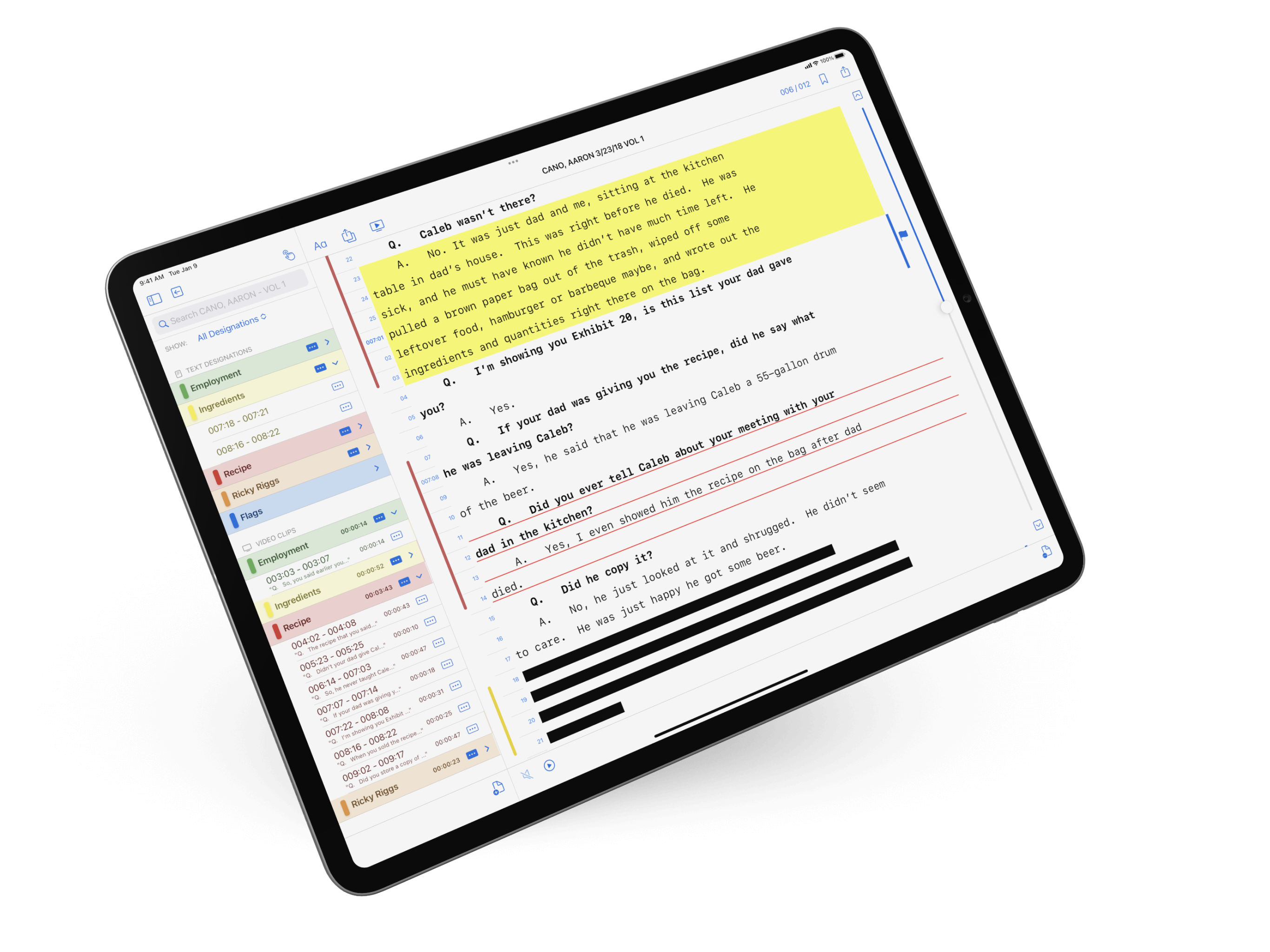
The trial-prep grind just got dramatically faster! Use TranscriptPad's Add Designations tool to bulk import page and line citations, dropping in multiple designations in seconds.
We know the drill. Opposing counsel emails over their deposition designations — sometimes as a clean Word doc, sometimes as a forwarded message, sometimes as a list scrawled into the body of an email at 11:47 PM the night before the pretrial conference. Your team then loses hours adding each page-and-line range, hoping nobody fat-fingers a number.
Not anymore.
Add Designations is the new TranscriptPad tool that lets you bulk-load opposing counsel's designations, or your own, in seconds, however they're formatted. No retyping. No copy-and-clicking through twenty separate ranges. No more "wait, did you do 47:12–14 or 47:12–24?"
If you're a litigator running a trial team, this one's for you.
Three ways to import, pick whatever's fastest
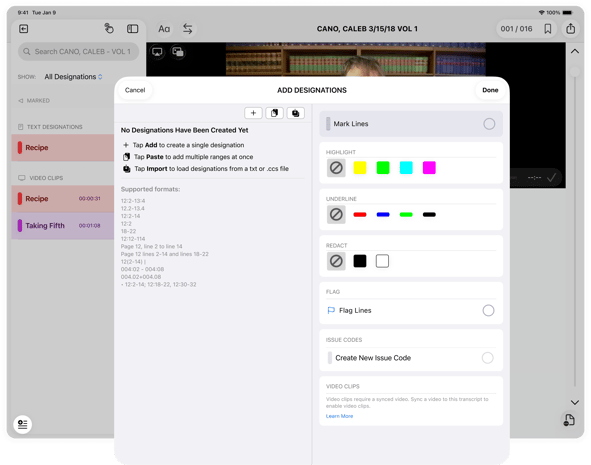
After you open a transcript, tap the new Add Designations button at the bottom left of your screen, and you'll see three options:
-
Add: Create a single designation when you just need one.
-
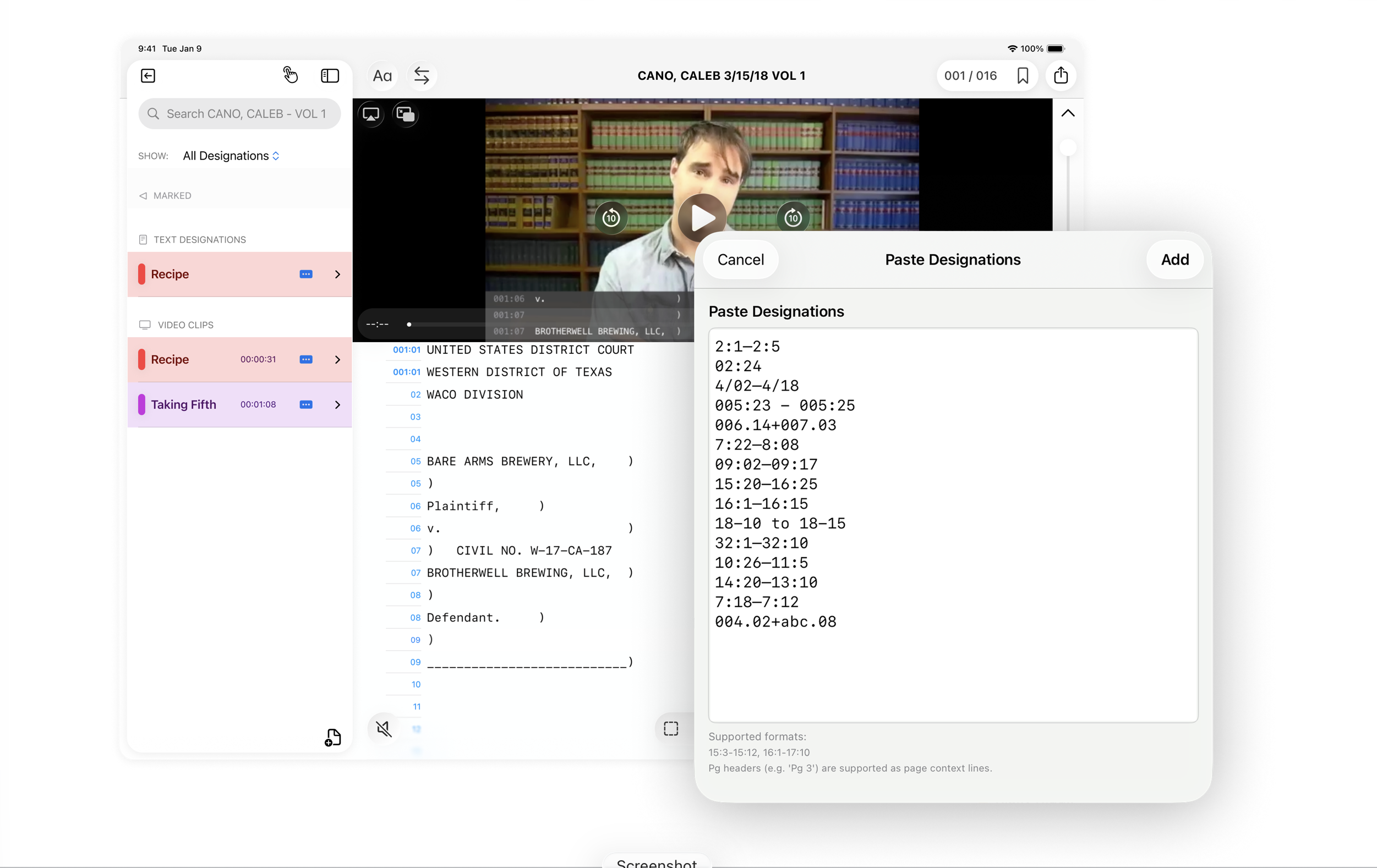
Paste: Copy a whole list out of an email, brief, exhibit, or Word doc and paste them in all at once. TranscriptPad parses every range as a separate designation.
-
Import: Drop in a TXT or CSS file, and TranscriptPad will pull every designation out of it.
TranscriptPad reads almost every format
This is the part trial teams will love most. There's no "correct" format you have to convert to. TranscriptPad understands designations the way lawyers and paralegals actually write them — colons, periods, dashes, ranges, multiple ranges, mixed punctuation, lines as words, even paragraph-style citations.
A non-exhaustive list of what works:
12.2-12.14
12:l2-l14
Page 12, line 2 to line 14
Page 12 lines 2-14 and lines 18-22
12(2-14)
012:02 – 012:14
012.02+012.14
12:2–14; 12:18–22, 12:30–32
However opposing counsel formats their designations, TranscriptPad will almost certainly read them. Paste the whole list and let the app sort it out.
Smart error handling
What happens if opposing counsel cites line 27 when a page only has 25 lines? Or designates pages that don't exist? In other tools, those mistakes vanish into the void and you find out at trial. With TranscriptPad's Add Designations feature, bad designations won't get silently swallowed.
Any designation that doesn't map to real transcript text is flagged on the spot. You can edit a bad range to fix a typo, delete citations if needed, or kick it back to opposing counsel with confidence, because you can show them exactly what's broken, catching and clarifying any errors before trial.
Issue Code and Annotate the entire batch at once
Importing isn't just dumping ranges into the transcript. As you add designations, you can:
-
Assign an issue code to the whole import (or create a new one on the fly) so every designation lands neatly into your case taxonomy
-
Add highlights and underlines with your preferred colors
-
Layer annotations on top — your notes, your reactions, your cross-prep flags
-
Stack onto existing issue codes so opposing counsel's designations sit right next to yours under the same topics
By the time you've finished pasting, you have a fully coded, color-marked, annotation-ready set of designations, without ever having tapped a single line by hand.
What used to take an afternoon now takes a minute
If your team is still hand-keying opposing counsel's designations into TranscriptPad, this is the feature that pays for itself the first time you use it. One trial. One round of designations. Done.
Update TranscriptPad, open your next deposition, tap Add Designations, and paste in the list.
We think you'll never go back.
Learn more in our Help Center, where you can find a step-by-step guide to Add Designations: https://support.litsoftware.com/add-designations-in-bulk
New to TranscriptPad? Check out LIT SUITE Academy, our online learning library for short walkthroughs on designations, video clips, and issue coding — all of it works seamlessly with the new bulk import.
Already a power user? We'd love to hear how this fits your workflow. Send us an email at hello@litsoftware.com!