“Every day in trial, we’d say to each other, ‘That was another flawless day.’”
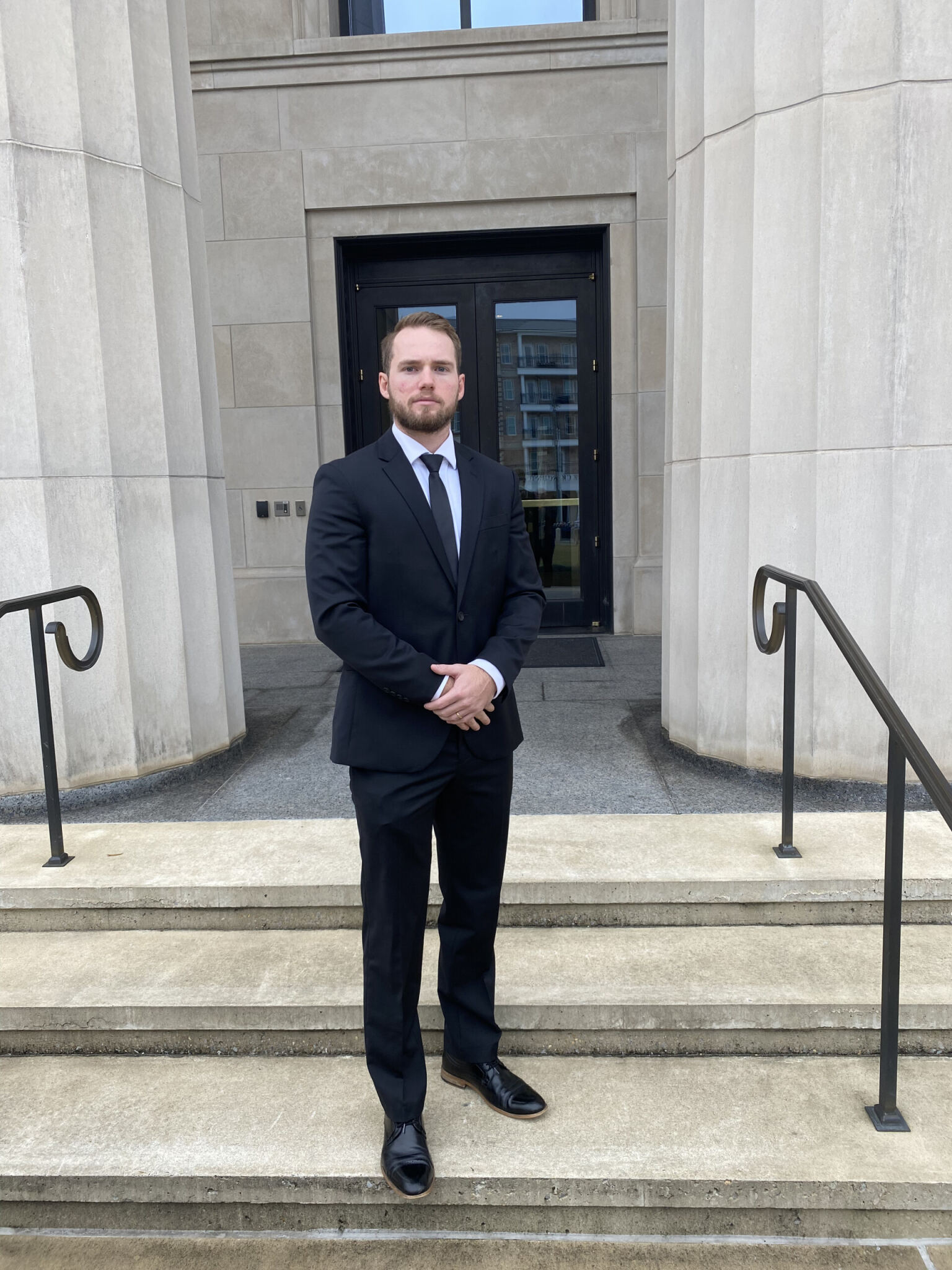
Meet Wisconsin trial lawyer Al Foeckler of Cannon & Dunphy.
Al Foeckler is a plaintiff’s personal injury trial lawyer at Cannon & Dunphy in Milwaukee, Wisconsin. The firm has been around for more than 40 years, and its founder was an early innovator in legal technology. Cannon & Dunphy was, Al will tell you, almost certainly the first firm in Wisconsin (and one of the first in the country) to go completely paperless. The firm even built its own case management software back in the day, and tried cases using binders of barcoded documents that were scanned with a wand in the courtroom. So, when early-adopter attorney Al Foeckler walked in carrying a brand-new iPad and a fresh download of TrialPad, the cultural foundation was already there.
Al has been using TrialPad since around 2011. He can remember when an Apple TV image displayed smaller than a hardwired HDMI feed, and when leaving the annotation tools “on” wasn’t yet a feature. “It just shows how much TrialPad has evolved and gotten better,” he said.
Today, Cannon & Dunphy is a full LIT SUITE shop. Their attorneys use TrialPad, TranscriptPad, and DocReviewPad in every phase of every case, and the firm is now one of LIT SOFTWARE’s newest Enterprise Partners.
We sat down with Al to talk about how he uses the apps, what the move to LIT SUITE has done for his practice, and the eight-figure verdicts that helped seal the deal.
The 2014 Trial That Made the News
Al has tried two to four jury trials a year for most of his career, but one stands out as a turning point. In 2014, he tried a case in Milwaukee so significant that local television stations broke in live to cover the verdict. He used TrialPad throughout.
“TrialPad has always been great. Back then, the iPads weren’t as powerful, and there were some glitches I attribute to the iPad, not at all to the software. But now it’s flawless. Playing video on it now is amazing.”
That early experience set the pattern. Al has been an early adopter of nearly every LIT SUITE app since: he picked up TranscriptPad shortly after release, started running DocReviewPad daily, and now leans on the suite end-to-end.
“I think people think of TrialPad as just a presentation software, but the suite itself goes back to the beginning of the case.”
Building a Case from Day One
For Al, the workflow starts the moment documents arrive. His office knows to pull text files of any new transcripts into Dropbox so they can be loaded into TranscriptPad. Sets of documents move from Dropbox into DocReviewPad, where Al issues codes by issue and by deponent.
“One issue code may be 'Individual X', and I’m marking the pages I want to go over with that person in their deposition as I’m going through it. Then I’m able to export it right over to TrialPad, and I’ve got a folder with all of my documents ready to go.”
That tag-and-export workflow turns DocReviewPad into the front door of every deposition and every cross-examination. The same flow then carries forward into trial. Cannon & Dunphy’s house rule is to mark exhibits sequentially across the entire case, starting at 1 in the first deposition and continuing all the way through trial. “We may end at 231,” Al said. “I take all of those 231, throw them into a master exhibit folder, and then I copy them out into the different witness folders within TrialPad. It works flawlessly.”
The payoff comes long after the verdict. Sequential numbering keeps the appellate record clean: Exhibit 11 has been Exhibit 11 since the first time anybody saw it.
TranscriptPad, Almost Every Day
Al uses TranscriptPad almost every single day. He orders the video as soon as the deposition ends, not weeks later, when a budget-conscious schedule used to dictate.
“The closer you are to trial, the more you remember some of the good stuff you want to clip. So I’ll go through and clip out things right away. Even if I never use it, it’s easy to do.”
The cost savings are real. “I used to pay extra to get videos synced, and I don’t have to do that anymore. With TranscriptPad and TrialPad, I can take out the lines and play it through cleanly.” For attorneys who once paid third parties to handle every cut and clip, or hired a hot seater for trial, that’s not a minor line item.
Eight Figures, No Wires
Last autumn, Al and his partner Brett Eckstein tried a case that returned an eight-figure verdict for the family of an elderly woman who had been buried for two hours under a collapsed eight-foot retaining wall at a senior living center. The case was document-heavy, with construction records, design specs, and the facility’s own rules, and it was a textbook fit for the LIT SUITE.
In the courtroom, Al and Brett came in light.
“We plugged our Apple TV into the HDMI feed, and we could switch back and forth with our iPads and walk around the courtroom without any wires. You’re not tethered at all.”
At one point, an objection came up over a portion of an exhibit. The judge wanted that section out. Brett took the iPad up, used the redact tool live, and continued on.
“The judge literally was like, ‘Oh, that’s cool.’ And we just moved on. It saved time. We didn’t have to take a recess, white out a section, and come back. It was on the spot.”
Opposing counsel, meanwhile, were swapping HDMI cables between two laptops, hunting for PDFs in folders, and asking the clerk to switch displays. After the verdict, jurors told Al and Brett what they had already suspected: “You guys just were so much more prepared and flawless in your presentation.”
Closing with the Verdict Form
One of Al’s signature moves is to close with the actual verdict form on screen.
“Sometimes we don’t get the verdict form until 30 minutes before we’re going to be closing. So I get them into TrialPad, and during closing, I have the verdict there. I always like showing the verdict to the jury and then using the markup tool to write ‘You should answer this “X” by yes’ and put a red X. Always, always.”
It’s the kind of move that’s only possible when the technology is invisible, when you can pull a document in, mark it up, and project it without a single hand-off or hiccup.
Why a Whole Firm Goes All In
Cannon & Dunphy’s move to Enterprise Partner status with LIT SUITE wasn’t a one-off decision. The whole firm runs on the apps. When Al tries cases with his partner Brett or with associates like Jay, everyone runs their own iPad.
“It’s just easier to have the control of it. I’m building out my folders, putting together the outline of a witness, building out the exhibits I want to use within TrialPad, and re-ordering them. I can pop right through them.”
For firms considering the move, Al’s experience is a useful blueprint. The firm started with TrialPad in trial. It expanded into TranscriptPad for daily deposition work. It added DocReviewPad once the volume of construction-defect litigation made other review untenable. By the time Cannon & Dunphy formalized its Enterprise Partnership, the suite had already become the connective tissue of the practice.
Spreading the Word
Al recently presented on trial technology at the Wisconsin Association for Justice (WAJ) Spring Seminar and is scheduled to give three presentations at Trial Lawyers University in June. He’s strongly considering making one of them about the LIT SUITE.
“There are a lot of trial-lawyer presentations that talk about how great your verdict is. But to me, this is really valuable, practical information. If people aren’t using it and they see it, they’ll be like, ‘Oh my gosh, I need to do this.’”
His WAJ talk had attendees emailing him afterward asking what it costs and where to start. Al has a feeling the Trial Lawyers University crowd will react the same way.
Tips for New Users and Reminders for the Rest of Us
-
For attorneys just getting started: practice in a deposition first. “I don’t think people realize how easy it is in Zoom to use your iPad wirelessly to throw documents up instead of having PDFs in a folder. You’re able to highlight, pull things out, call out different things. It’s so much better.”
-
For attorneys already using the LIT SUITE: make sure you’re using more than just TrialPad. “It all integrates. As soon as documents come in, my office knows to make a folder of .txt files I can get into Dropbox, then into TranscriptPad. Then I move sets of documents through Dropbox into DocReviewPad. It’s seamless.”
-
The small things matter: the Apple TV to seamlessly switch between presenters, the Apple Pencil for review. The Magic Keyboard for a detachable iPad “it literally just makes you look like you’ve mastered the courtroom.”
-
Flexibility is freedom: as Al put it after describing an evening spent reviewing 1,600 pages of construction documents on his iPad with a Brewers game on in the background: “I’m not fumbling around with papers. My dog can be next to me. Nothing is dropping, getting out of order. It just works.”
Learn more about Al Foeckler, Esq.:
Firm website: www.cannon-dunphy.com
LinkedIn: https://www.linkedin.com/in/al-foeckler/
Want to hear Al walk through his workflow firsthand? Check out the webinar recording: https://youtu.be/TfGrrKgqTc0?si=qPYGzdyHH3f9qSuF
Al talks about how he uses the LIT SUITE from intake through verdict, why Cannon & Dunphy went all in as an Enterprise Partner, and what it really looks like to try a case without wires, without chaos, and without losing. Bring your questions. Al will be taking them live.