TrialPad has long been a leader in courtroom presentation tools, and with our latest release, we’re expanding what’s possible with two powerful additions: the all‑new Whiteboard, and the new Markup Tool.
Whether you’re sketching a quick diagram mid‑deposition or annotating exhibits with precision during trial, these tools give you visual control of your case like never before.
Whiteboard: Now Smarter, More Flexible, More Impactful
The Whiteboard in TrialPad has been completely reimagined. It’s no longer just a blank canvas, it’s a robust visual workspace that you can tailor to your workflow. And you don’t need to leave TrialPad to use it. New Whiteboard features include:
- Create from multiple places: Add a Whiteboard from the + menu in the Documents Tab or the Key Docs Tab.
- Flexible orientation: Choose portrait or landscape to suit your demonstrative.
- Stationery selection: Work on optional lined, grid, or dot grid backgrounds to guide diagrams or notes.
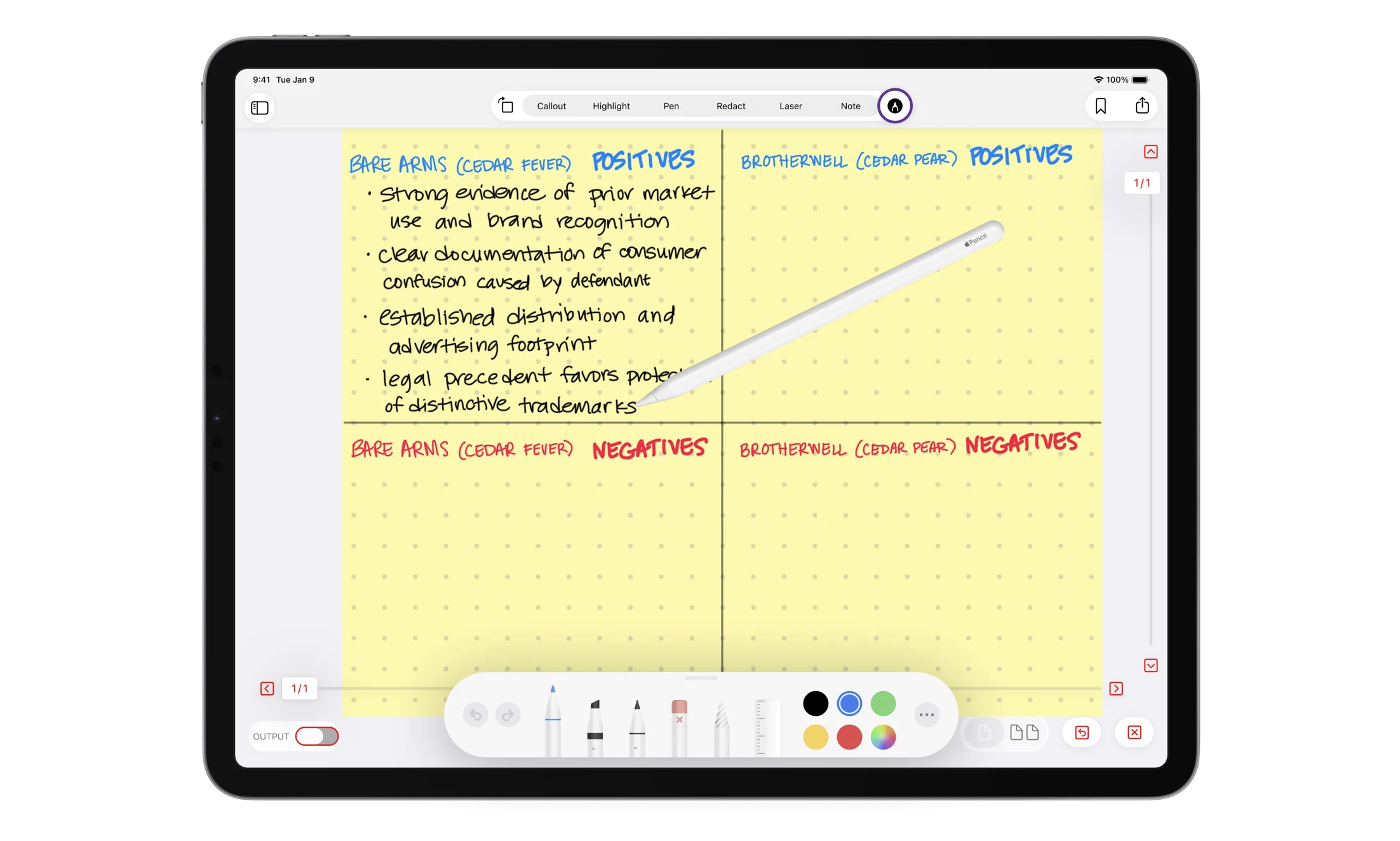
- Smart dividers: Split your whiteboard in half vertically, in half horizontally, or into four quadrants — perfect for comparing scenarios or showing sequences.
- Color backgrounds: Select yellow, green, blue, or pink stationery colors to highlight different themes or witness perspectives.
- Automatic storage: Every Whiteboard you create is automatically saved in the Whiteboards folder inside Key Docs, ready for presentation, future annotation, or to move into another folder of your choice.
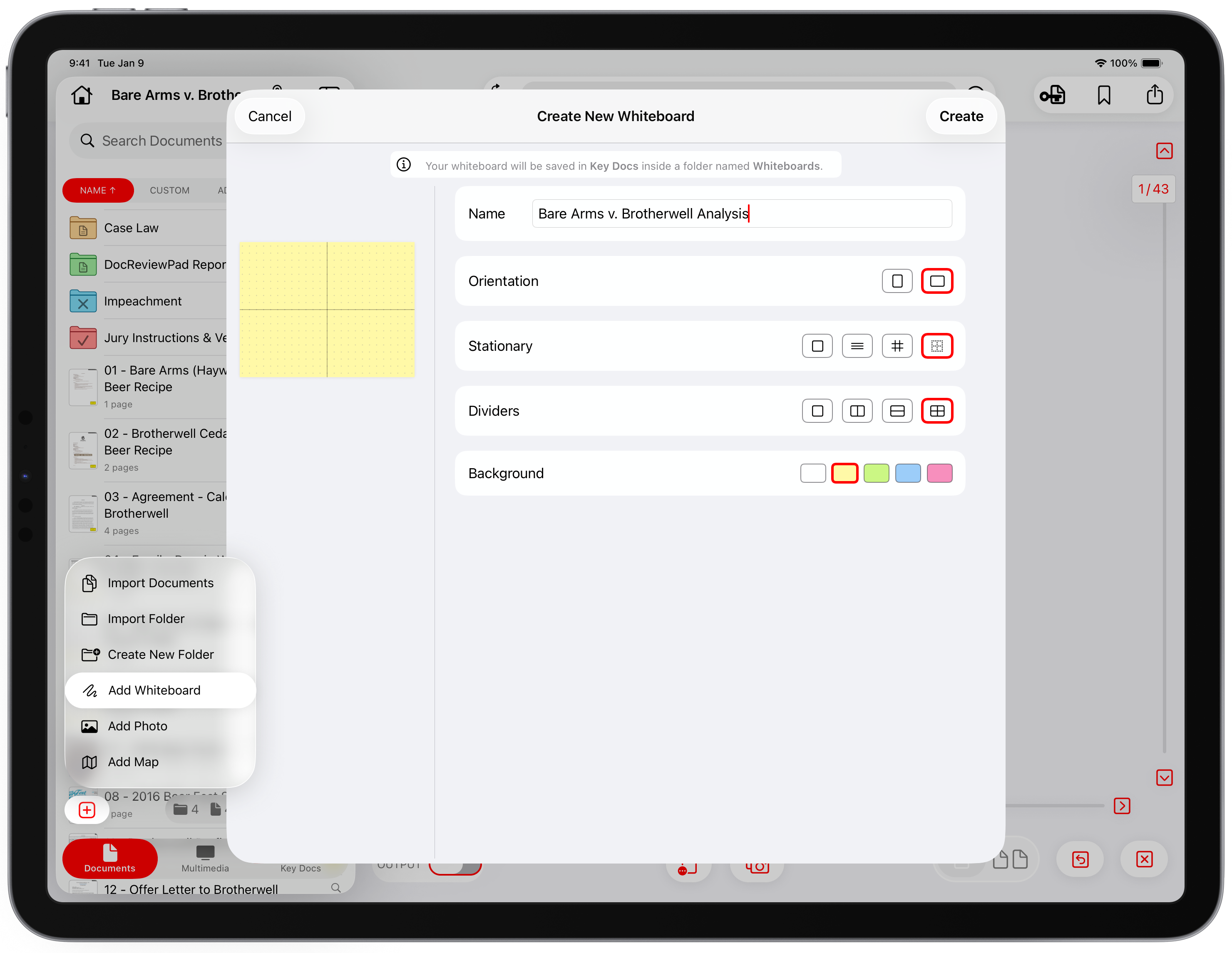
You can use Whiteboard to sketch fundamental demonstratives on the spot. Draw an intersection diagram for liability or visually compare two theories of causation, creating a quick graphic or instant demonstrative you might have otherwise had to prepare ahead and import.
And because everything you draw is saved alongside your case materials, there’s no need to recreate it when you’re presenting later in the courtroom.
Markup Tool: Handwritten Precision Anytime
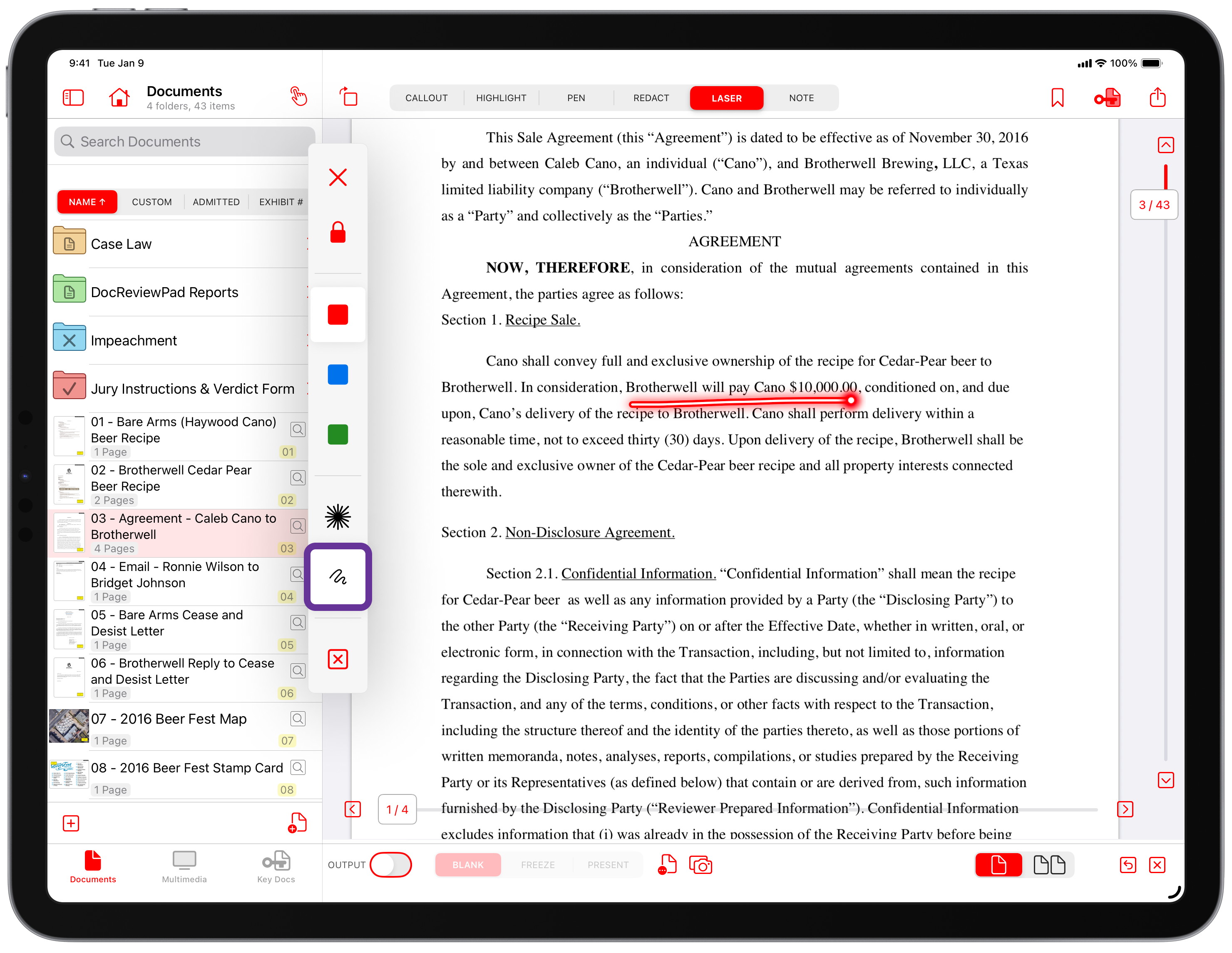
We initially introduced the Markup Tool in DocReviewPad, giving lawyers and legal teams the ability to add handwritten notes alongside annotations, a powerful advancement separate from our included annotation tools. With this release, we’ve integrated Markup into TrialPad as well, allowing you to elevate your presentations and preparation with precision handwriting. The new Markup tool brings you:
- Apple Pencil support: Add handwritten commentary directly on exhibits or documents with the natural feel of pen on paper.
- Flexible annotation: Combine Markup with annotations like highlights, callouts, and laser to draw attention exactly where you want it.
- Presentation enhancement: Use Markup live in court to emphasize key phrases or react to testimony in real time.
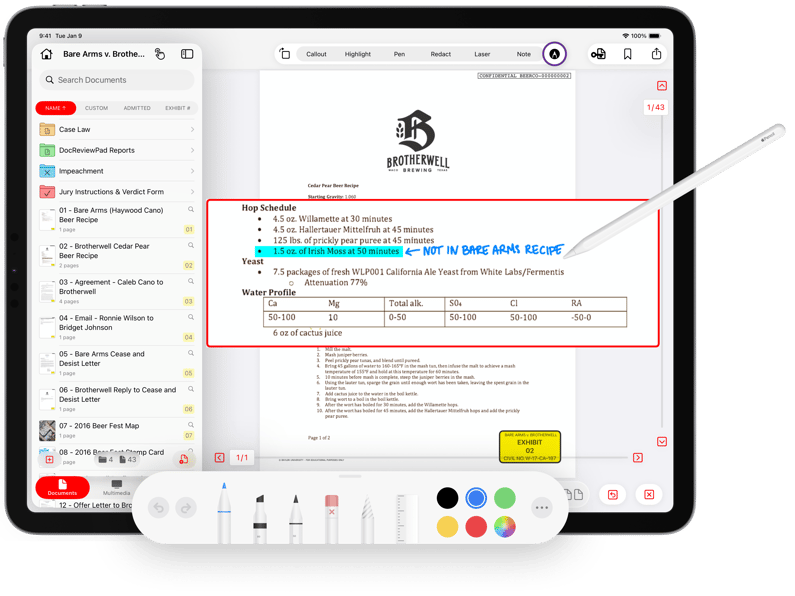
With the Markup Tool, you have access to a full set of markup tools, including:
- Pen, marker, or pencil for different writing styles
- Eraser for quick cleanups
- Ruler for perfectly straight lines
- Color picker to match your preferred annotation color
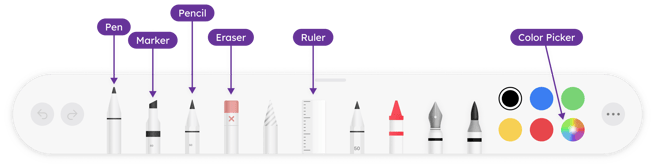
The Markup Tool lets you take your annotations further, with greater flexibility, precision, and creative control when adding handwritten notes to emphasize details, or guide a witness during examination.
Whiteboard + Markup Supercharge Each Other
Individually, the new Whiteboard and Markup tools are powerful additions. Together, they open doors to visual storytelling that were previously impractical in the courtroom. But their combined potential goes so much further:
- Interactive Handwriting: Use Apple Pencil to write, draw, or diagram directly on the Whiteboard with Markup, perfect for clarifying complex clauses, mapping witness testimony, or sketching relationships on the fly.
- Strategic Case Visualization: Use Whiteboard sections with Markup to handwrite and annotate multiple threads of your case side by side pr om quadrants, creating a visually organized, interactive graphic that highlights contrasts, connections, and key themes.
- Live Demonstratives: Sketch a concept on Whiteboard with Markup for emphasis during a deposition or trial.
- Collaborative Brainstorming: Invite colleagues or witnesses to contribute directly on a Whiteboard using Markup, layering ideas, questions, or notes in real time to develop strategy, clarify testimony, or explore multiple perspectives together.
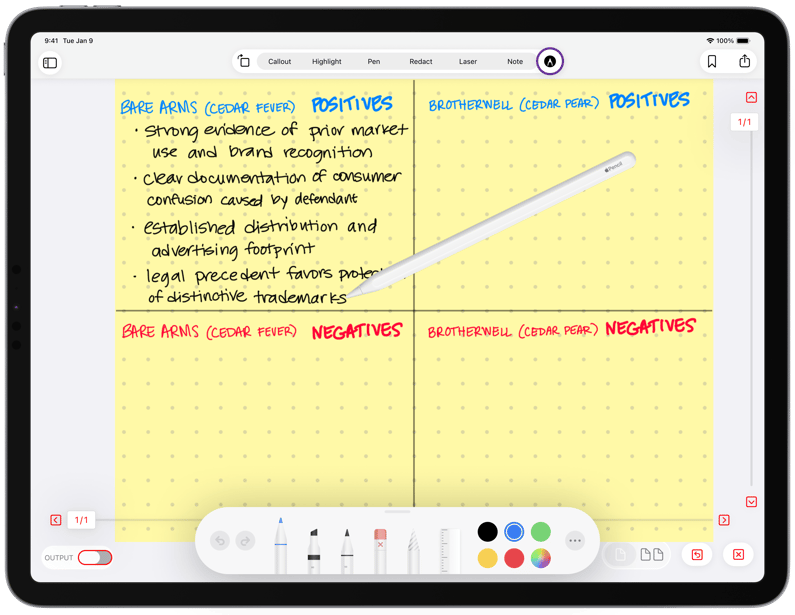
The combination of the new Whiteboard and Markup tools creates a visual workflow that lets you move from ideation to presentation all within TrialPad. No other litigation presentation tool gives you this level of graphic control and courtroom flexibility.
Real‑World Impact
Visual tools like these aren’t just “nice to have”, they change how evidence is perceived. Visual representation simplifies complexity and shapes juror recall, making it easier to understand multi‑layered arguments by associating abstract information with digestible visuals.
Now, with Whiteboard and Markup in your toolkit, you can create, edit, and present graphics instantly, without leaving TrialPad or relying on secondary software. This means less prep time, fewer transitions, and more impactful advocacy.
Whether you’re sketching mid‑trial or preparing annotated exhibits for closing arguments, TrialPad’s Whiteboard and Markup Tool give you unmatched visual control and presentation agility.
Download TrialPad now* and unlock the visual tools that will elevate your next deposition, hearing, or trial.

*This is a free update for current LIT SUITE subscribers, just go to the App Store and download the latest version! Be sure to update all devices running TrialPad for continuity across hardware platforms.