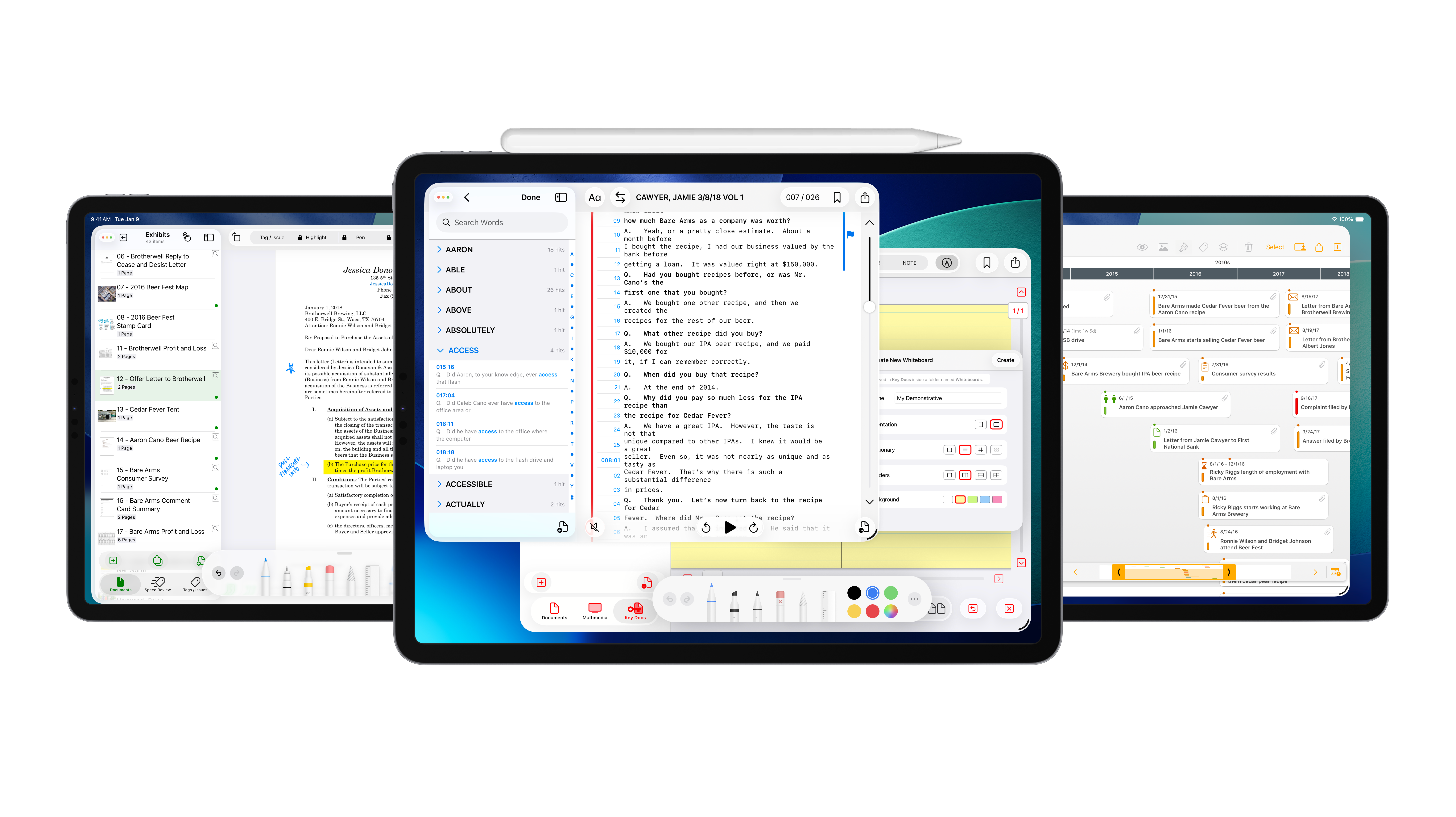
A case is built over months: documents reviewed and stamped, depositions taken, facts pieced together, productions sent, hearings argued, witnesses prepared. The LIT SUITE was designed to carry all of that work, from the first document to the verdict.
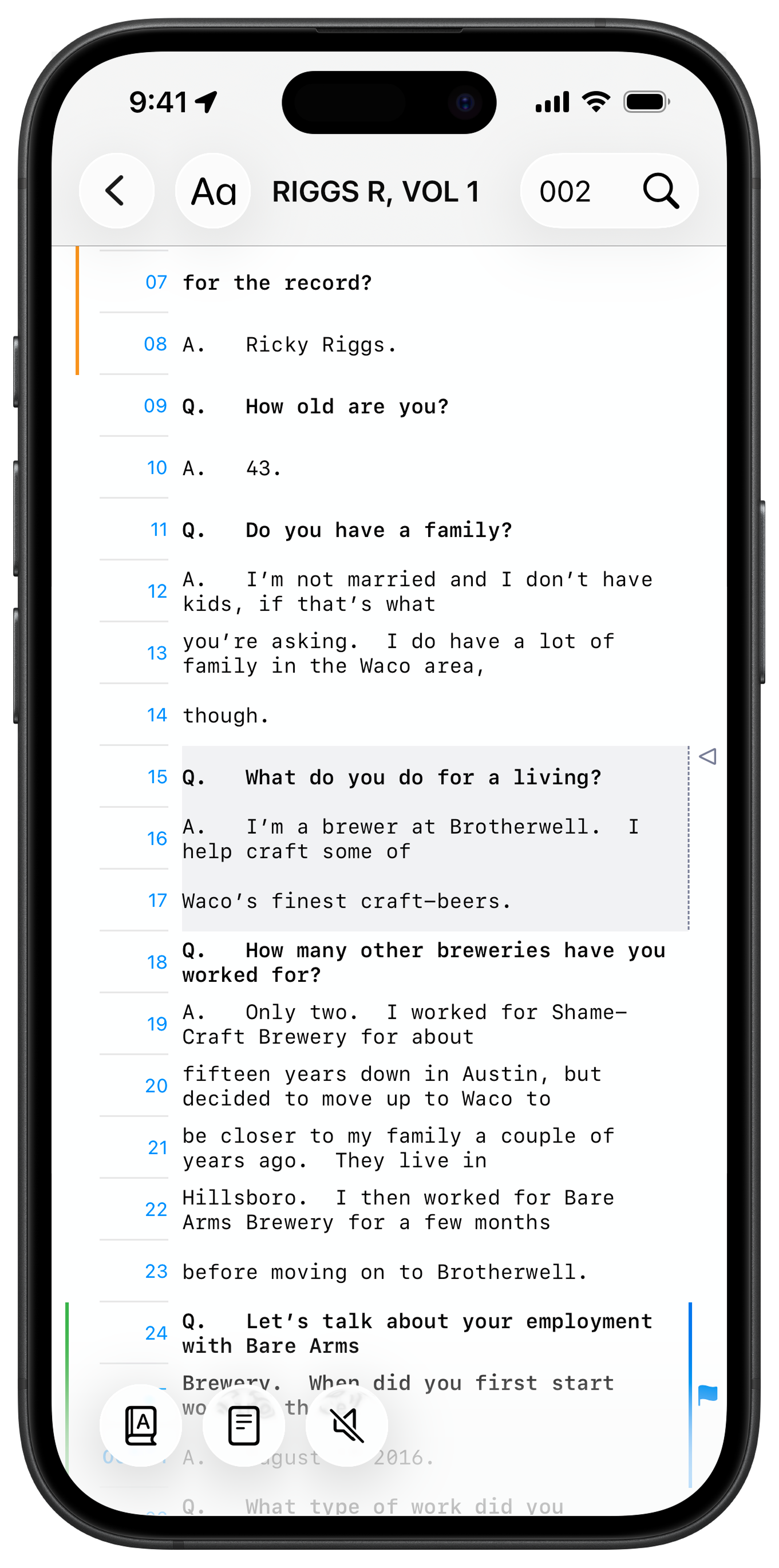
Now TrialPad, TranscriptPad, DocReviewPad, and TimelinePad are available on iPhone and iPhone Duo, so your entire case, and your workflows, move with you across Mac, iPad, iPhone, and even CarPlay.
One Suite, From First Document to Verdict
Each app handles one part of the case, and together they work as one.
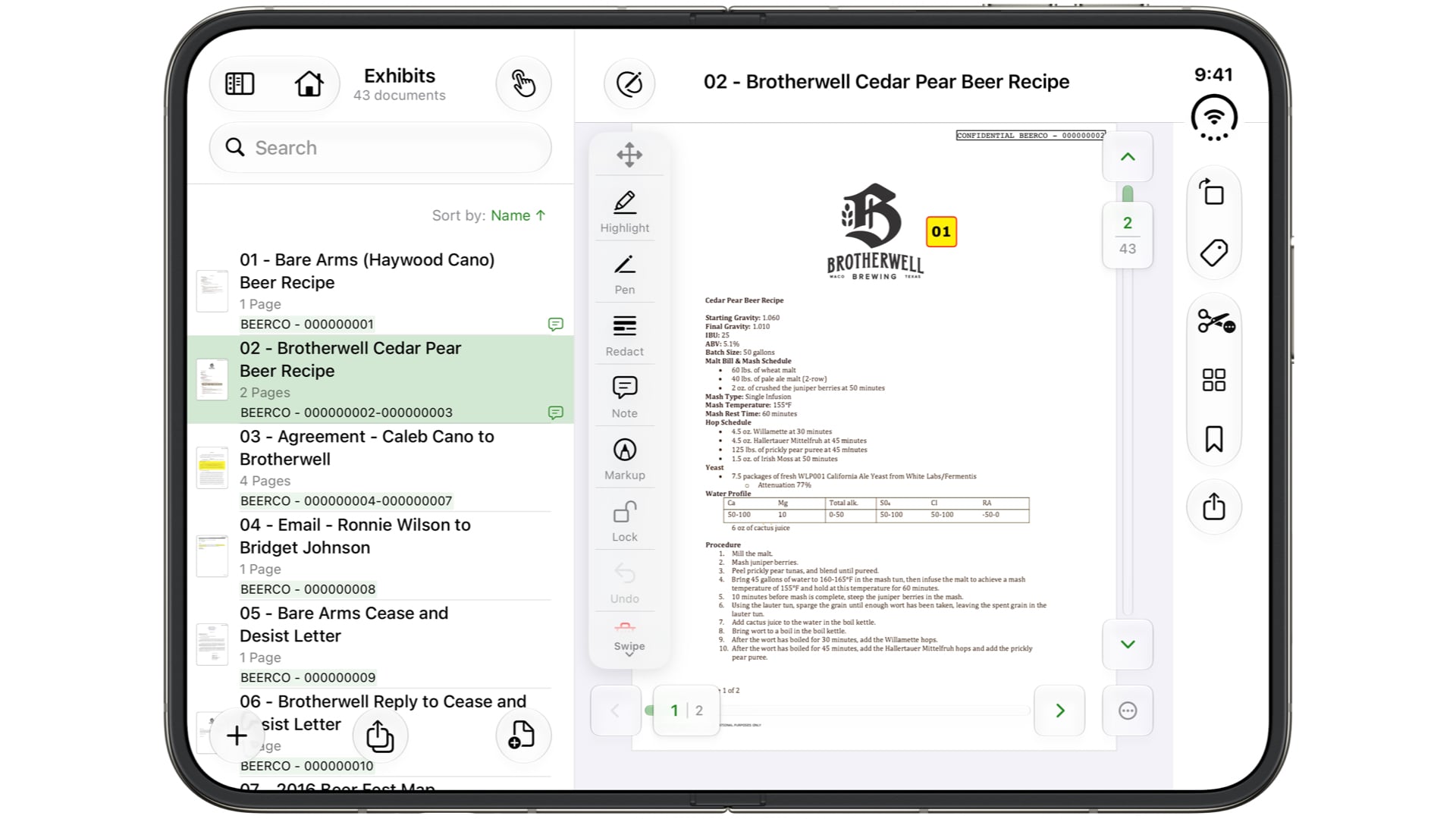
- DocReviewPad is where the case begins. Bring every document in, Bates stamp it or capture the stamps already in place, and review to find out which documents matter and why. As the case moves forward, export production sets and the sets you'll present at hearings, depositions, and mediations.
- TranscriptPad holds the record. Every transcript in the case lives in one place, with synced video wherever a video record exists, such as a video deposition or EUO. Review testimony, make video clips, create citations, and generate reports, so the record is ready to support your motions, your witness prep, and your presentation at trial.
- TimelinePad tells the story. Build the chronology of your case, with each fact tied to the documents, testimony, people, and issues behind it, so you can see how the case fits together and where the gaps are.
- TrialPad is where it all comes together. Whenever you need to present, at a deposition, a hearing, a mediation, or trial, you choose what to bring into TrialPad from the work you've done in DocReviewPad, TranscriptPad, and TimelinePad: the documents, the testimony, the video clips, and the notes behind them. Add your notes for witness examination, then show only what you want, exactly how you want it.
Your Workflow, Across Every Device
You can build your case at your desk, but most litigators also work on flights, in waiting rooms, in courthouse hallways, and in the five minutes before a deposition resumes. Now the LIT SUITE can make you productive in all of those places.
- Across your devices, through iCloud. Store your Case Files in iCloud, and they stay in sync across your Mac, iPad, and iPhone. Start a review on Mac, keep coding on iPad in the conference room, and pick up the last few documents on iPhone in the back of a car. Or AirDrop Case Files between devices, no wi-fi required.
- In the car, with TranscriptPad for CarPlay. Review deposition testimony hands-free on the drive to the courthouse. Listen to synced video depositions, or have transcripts read aloud like a podcast, with different voices for questions and answers and adjustable playback speed. Tap the vehicle display to mark important testimony, and the Marked Line is saved to your Case File, ready to review later on every device. Learn more about TranscriptPad for CarPlay.
- Across the apps on one device. On any single Mac, iPad, or iPhone, move your work from DocReviewPad to TranscriptPad to TimelinePad to TrialPad as the case takes shape, without switching to another device.
Built for iPhone and iPhone Duo
On iPhone, the LIT SUITE fits in one hand. On iPhone Duo, it fits in your pocket folded and opens into a real workspace when you unfold it, and the LIT SUITE is designed to use both.
- DocReviewPad in one hand or side by side. On iPhone, Issue Codes open in a sheet while the document stays visible, so you can code as you read. Unfold iPhone Duo to see your document list and the document together, search every page in the case, including scans, then add Bates stamps and start issue coding.
- TranscriptPad in tabletop mode. Set iPhone Duo half-open on the table. The deposition video plays on the upper screen while the synced transcript scrolls on the lower half, lying flat in front of you, ready to read and designate.
- TimelinePad with room to see the story. Review and edit your timeline wherever you are, and add documents, photos, and videos to your events from another LIT SUITE app or straight from your iPhone camera. Unfold iPhone Duo for space to scan your chronology and the facts behind it at a glance.
- TrialPad with room to work. Snap a last-minute photo with your camera, and TrialPad indexes it so it's searchable right away. Unfold for a bigger canvas to pull up an exhibit, create Key Docs, check your callouts, and add your presenter notes.
Want to see more of what the apps can do? Read Your Whole Case, Including Video: What's New in DocReviewPad, Present with More Control: What's New in TrialPad, and Smart Document Search Comes to the LIT SUITE.
A Backup You Can Count On
Every well-prepared litigator has a backup plan. With the LIT SUITE on iPhone, yours is already in your pocket. Your exhibits, testimony, timeline, and notes sync through iCloud, so the same case is ready on your iPhone as on your iPad and Mac. Walk into any courtroom, deposition, or mediation knowing your whole case is with you, on more than one device.
Every Day of the Case, Not Just Trial Day
Presenting is one moment in a case. Most of the work happens long before anyone stands at the podium: reviewing and coding documents, digging through testimony, building the timeline, and getting ready for the next deposition, hearing, or mediation. That's where the LIT SUITE does its work, every day of the case, and with iPhone and iPhone Duo, that everyday work goes wherever you do.
The best litigators don't stop working when they step away from their desk. Now neither does the LIT SUITE.

*The LIT SUITE for iPhone and iPhone Duo is a free update available to current LIT SUITE subscribers, just go to the App Store and update to the latest version! Be sure to update all devices running the LIT SUITE for continuity across your hardware platforms.